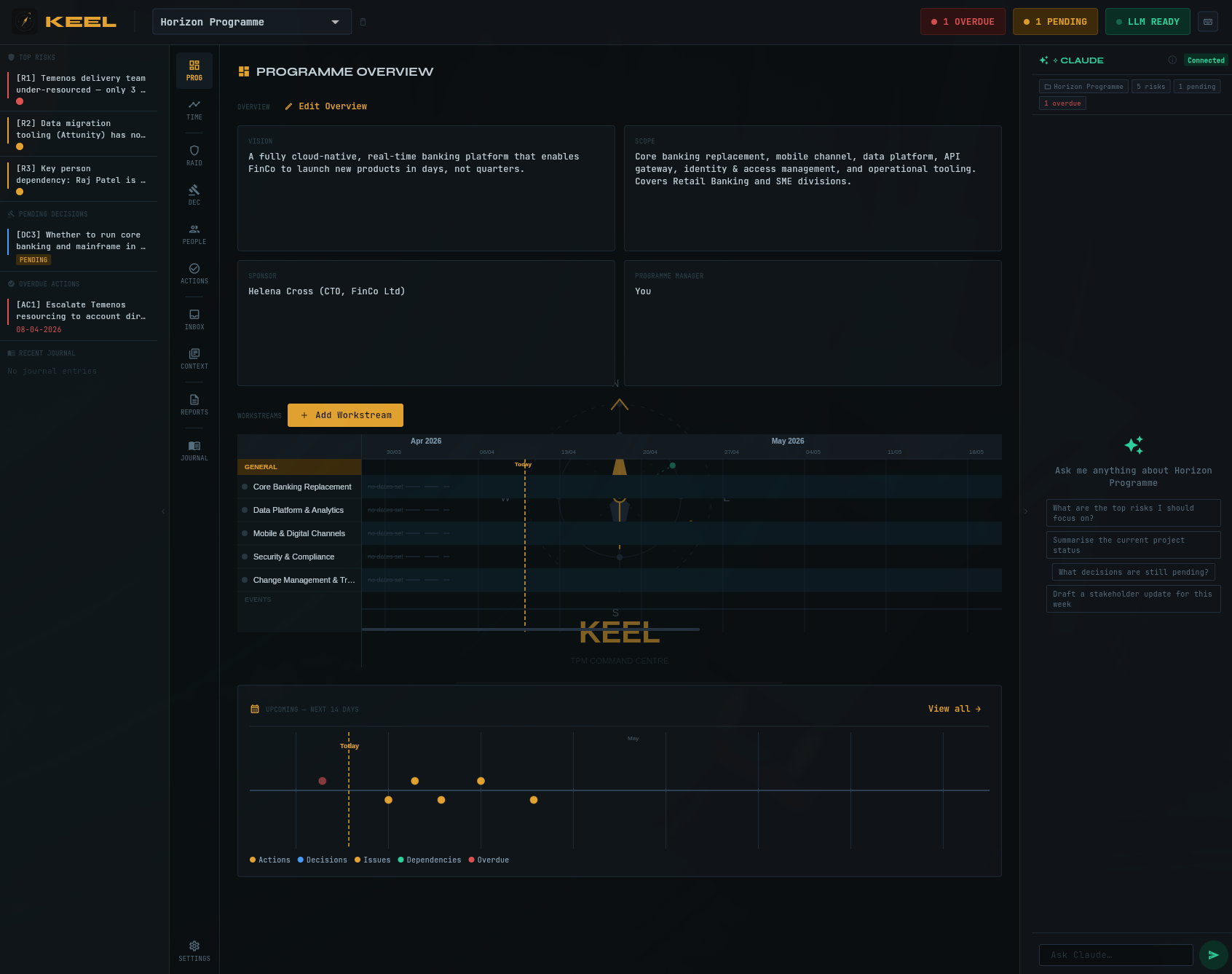
Keel is a TPM command centre that runs on your machine. RAID log, decisions, actions, journal, people — all in one place. No subscription required to start. Your data never touches a server unless you choose sync.
Free forever for local use. No account needed.
Journal, photo, voice note, documents. Everything that happens in a meeting ends up in Keel. The journal parses your prose and surfaces risks, decisions, and actions automatically.
RAID log, decisions, actions, dependencies — always current. Every item traces back to the journal entry that created it. One-click export for governance submissions.
Your data is in a local SQLite file you own. When you move between contracts, your knowledge travels with you. Export a full JSON backup in seconds.
Full RAID log with likelihood, impact, mitigation, and owner. Decisions with rationale and decision-maker. Dependencies with due dates. All linked to the journal entry that surfaced them.
Open the journal with Cmd+J. Write your meeting notes in plain prose. Save with Cmd+Enter. Keel's parser surfaces the decisions, actions, and risks it found and asks you to confirm them one by one.
Sarah confirmed Azure selected over AWS. Decision made at director level, not reversible. Ricki to chase the integration team for the API spec by Friday.
Concerned about vendor delivery — they've slipped twice. John raised this as a programme risk.
Go-live pushed to September 2026 from August — confirmed by steering.
Keel is designed for TPMs who work inside enterprise security perimeters. Here is what your IT team needs to know.
By default, Keel stores all data in a SQLite file on the user's own machine. No data is transmitted to any server unless the user explicitly enables sync. There is nothing to block at the firewall for a local-only installation.
When sync is enabled, all data is encrypted on the client before transmission using AES-256-GCM with a key derived from the user's password via Argon2id. The Keel sync server stores only ciphertext. We cannot read your data.
Keel does not collect usage data, crash reports, or any analytics. There is no tracking code, no embedded analytics SDK, and no call-home behaviour. What you type stays on your machine.
All data is exportable as standard JSON and CSV at any time. You are not locked in to Keel. If you stop using it, you leave with your complete programme history in formats that open in Excel and any text editor.
The Keel web app requires no software installation and runs in any modern browser. All computation happens in the browser tab. Suitable for managed machines where installing software requires IT approval.
Every programme item records its source (journal entry, manual, inbox, or import) and timestamps for creation and modification. The journal creates a durable written record of programme decisions suitable for audit purposes.
14-day trial, no card required
Coming Q3 2026
Native apps for macOS, Linux, and Windows. All free.
Or use the web app — no install required.